Screen profiles
Group dashboard URLs by team, room, process, or display so each screen can run the right rotation.
LoopDeck rotates dashboard tabs in Chrome so a shared screen can show the information your team needs. Save a dashboard list with its own timings, or cycle through tabs you already have open.
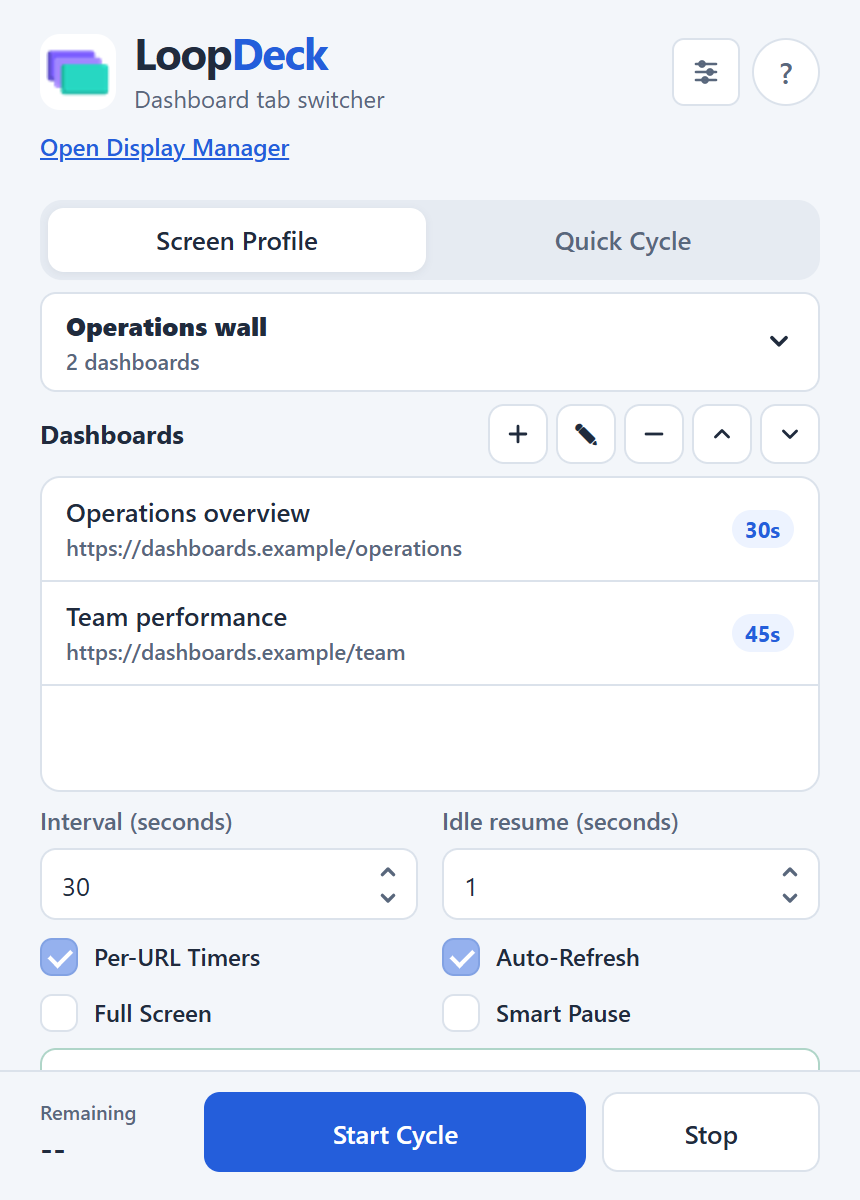
Group dashboard URLs by team, room, process, or display so each screen can run the right rotation.
Customize cycling duration and refresh behavior for dashboard pages that need regular updates.
Pause cycling while someone interacts with a dashboard, then resume once the display is idle.
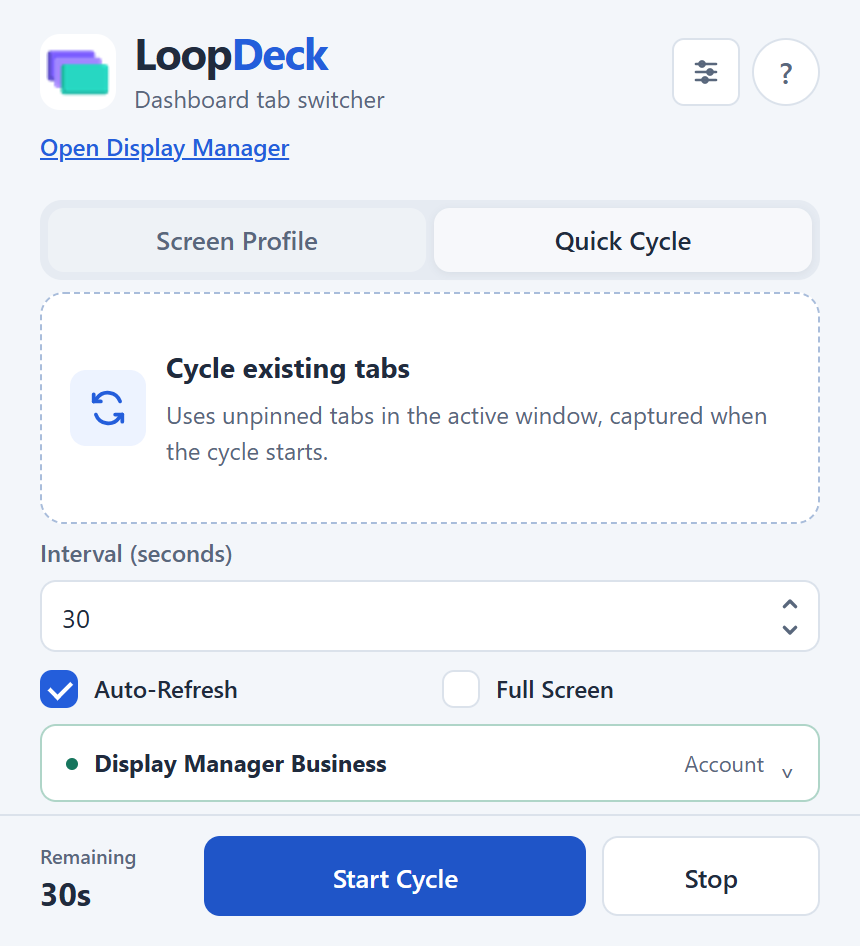
For a meeting or a temporary display, Quick Cycle uses the unpinned tabs in your current Chrome window. Choose an interval and start the rotation without creating a saved profile.
You can turn on auto-refresh and fullscreen from the same popup, then switch back to a screen profile when you need a saved dashboard list.
Select a screenshot to open it at full size in a new tab.
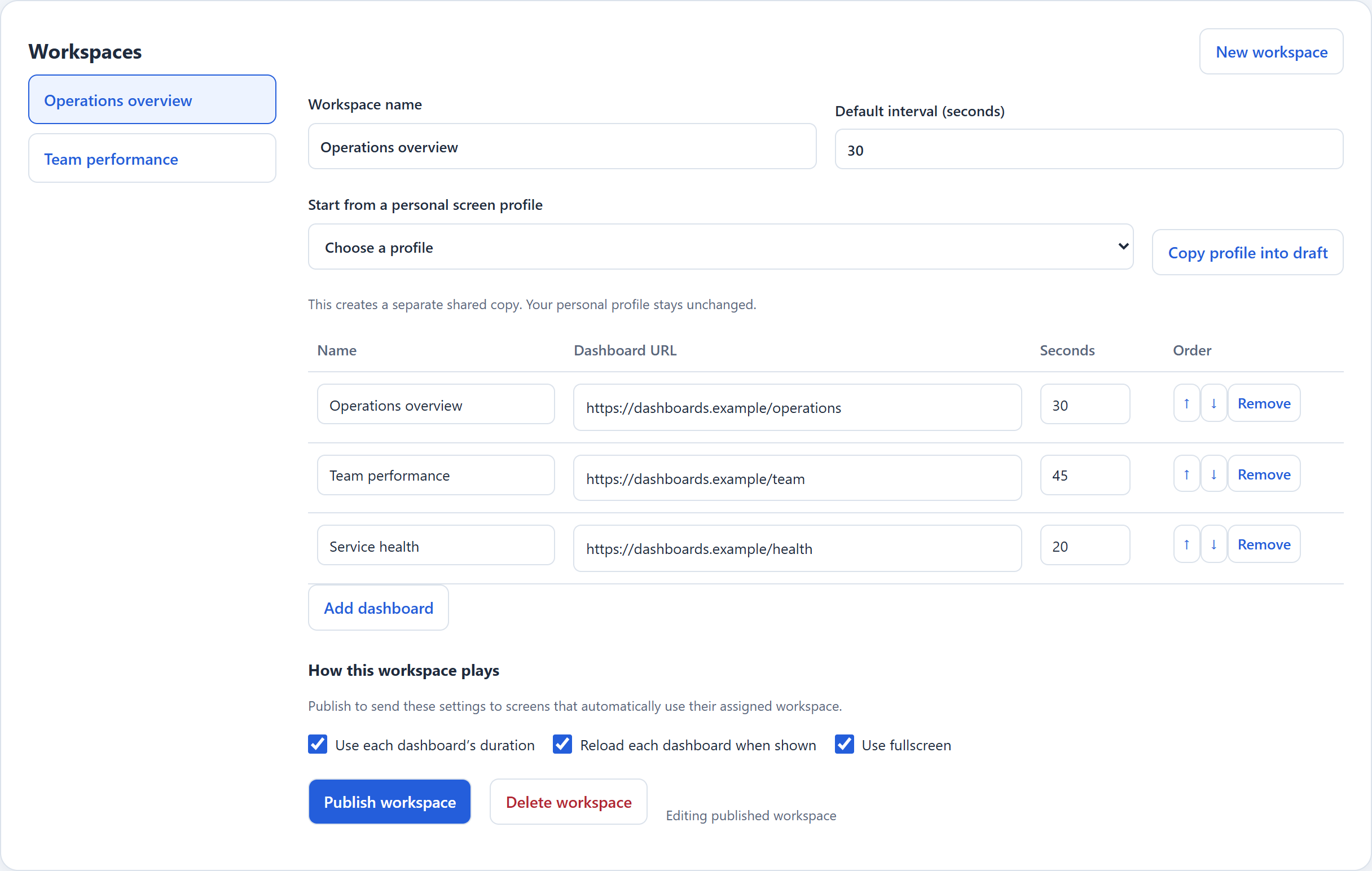
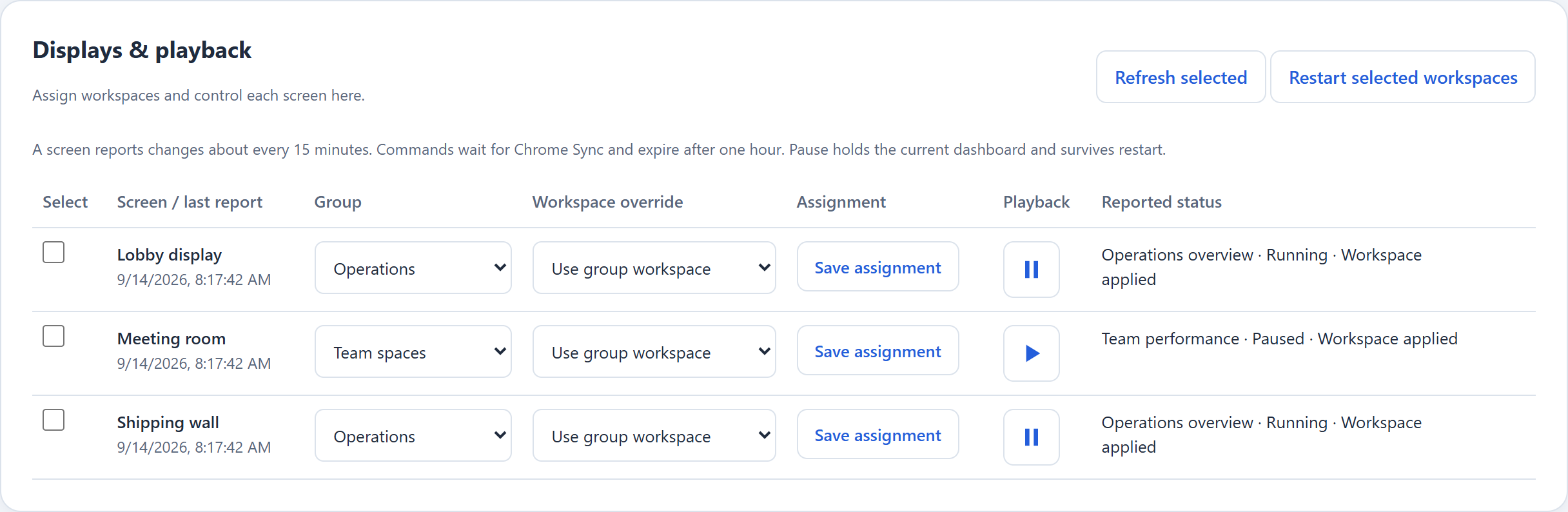
Create shared workspaces for different teams or rooms, then assign them to your displays. Update the dashboard list and playback settings from one place.
Display Manager requires a paid plan or active trial. Changes, commands, and status updates travel through Chrome Sync.